
Deleting an Archive also deletes all of its documents and data and is a permanent change to the database.
-
To delete an Archive and its files, on the GlobalSearch toolbar, click on the Administration (

-
In the vertical Administration menu, select Archives.
-
Click the More Options (

-
Click Delete.
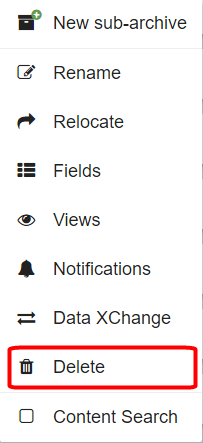
-
Because this will permanently delete the Archive and all of its Index Field data, you must enter the displayed text in the Verification box to proceed.
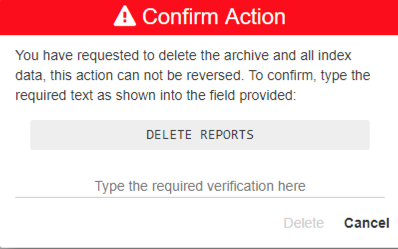
-
Click Delete.