
You can create a basic Archive as "child" of another Archive with a few simple steps. (If you need other options configured for this Archive, please refer to Create Archives - Advanced.) By default, child Archives will inherit all properties of the selected parent, including permissions and selected Fields.
-
On the GlobalSearch toolbar, click on the Administration (

-
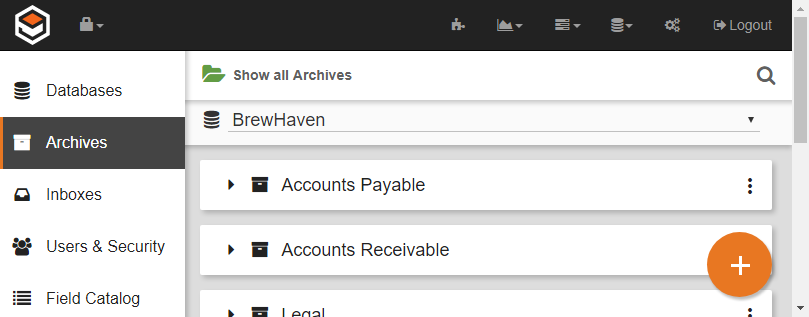
In the vertical Administration menu, select Archives.
-
Select a database. A list of the Archives in the database will appear.
-
Click the More Options (

-
Enter a name for the new Sub-archive in the New Archive text box.
-
Click Save.
