
If you have administrative permissions as a member of the SSAdmin group or a database administrator, you will see the Administration () icon just to the right of the GlobalSearch logo.
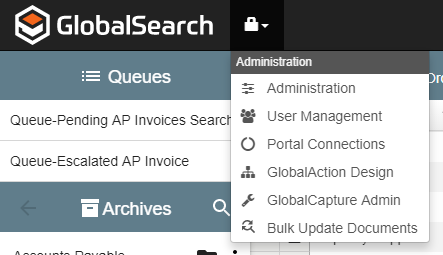
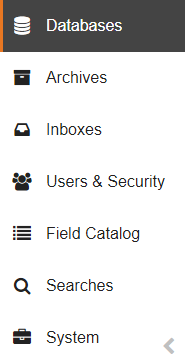
From here, you can access the GlobalSearch Administration interface, where system administrators can create Square 9 Users and set database permissions for both Square 9 Users and Windows-based users. This vertical navigation bar can be minimized using the Minimize (arrow) button at the bottom of the bar.
-
Quick Start Application Builder -
Install GlobalSearch -
Installation Utility -
Upgrade to GlobalSearch 5.0 -
Database Management -
Archive Management -
Field & List Management -
Search Management -
GlobalSearch Extension Management -
System Management -
User Management -
Localization -
Work XChange Migration -
Identity Manager -
Inbox Management -
Advanced Links -
Update Your Square 9 Domain Name -
The Cloud Dashboard