
How it works
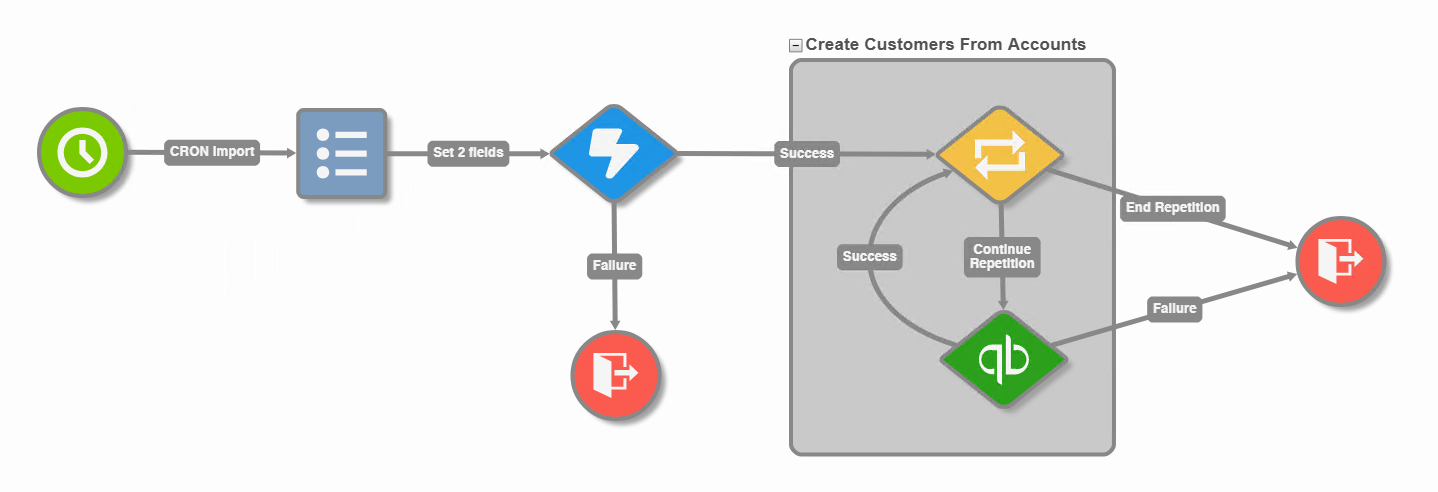
Read a list of customers from the Salesforce Account object and use the data returned to create Customers in QuickBooks.
-
Perform the task at a scheduled interval.
-
Set your Salesforce and QuickBooks authentication tokens.
-
Retrieve an accounts list, filtered by type “Customer”. Note, for demonstration purposes, this workflow has an account limit of 10.
-
Loop through the accounts and create a Customer record in QuickBooks Online for each account.
Download the package