This node is available for GlobalCapture workflows only and is available for download from the Square 9 Solutions Delivery Network.
This node is typically only used in setup or troubleshooting steps. When paired with an error import node targeting a specific node name, it could be leveraged to make a process “jump” to a new section of the workflow, or introduce an intentional processing delay into a workflow.
The Raise Error node is used to display a custom error message during the workflow process.
This node is the most helpful when testing workflow processes. Workflow designers may wish to ensure documents stop processing at a certain step in a workflow. The Raise Error node might also be leveraged with an Error Import node to allow documents to “jump” to completely different parts of a workflow.

Node Properties
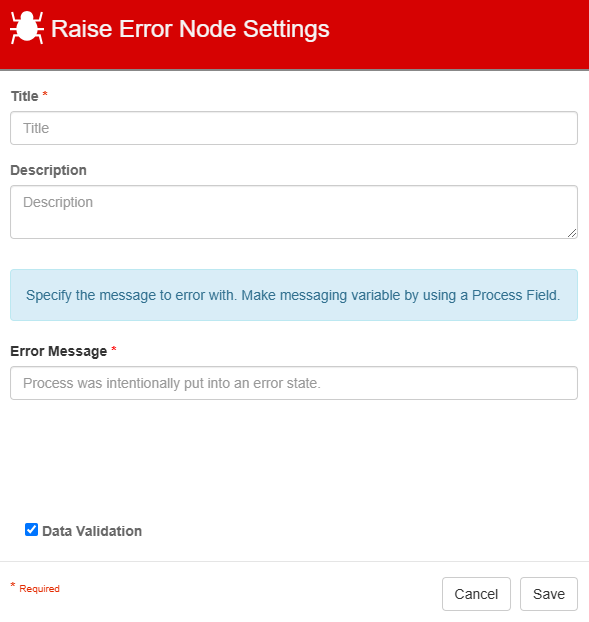
Title
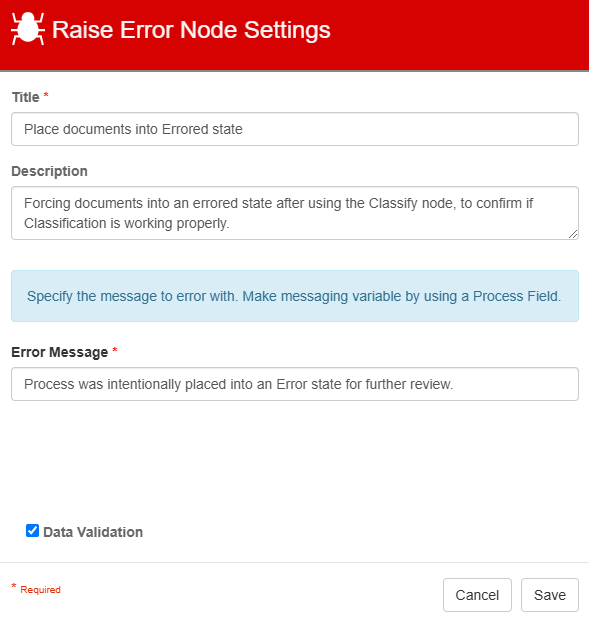
The Title of your node should be brief but descriptive about why the error is being raised. Titles are important when revisiting workflows in the future and when migrating workflows. The title of the node will be displayed when resolving conflicts during imports.
Description
The Description of your node should provide notes about this node. This could include information about intended use or why the error is being raised. Descriptions can be very useful when revisiting workflows in the future.
Error Message
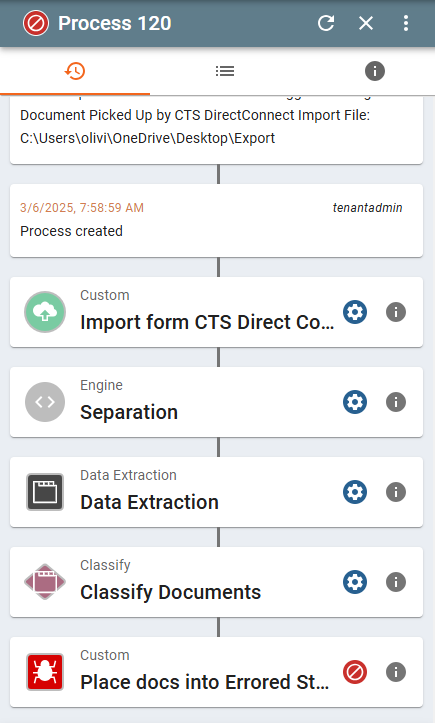
Error Message is where we can specify what we want the error message to display. S9 Notation can also be used to reference any Process Fields or System Fields that have been added to the workflow. The error message will be displayed in the Batch Manager when viewing the process history.
Data Validation
The Data Validation checkbox is enabled by default to enforce Data Types or Length settings for Fields. When enabled, if data does not meet the type or length settings for the field, the process will error on this node.Use Cases
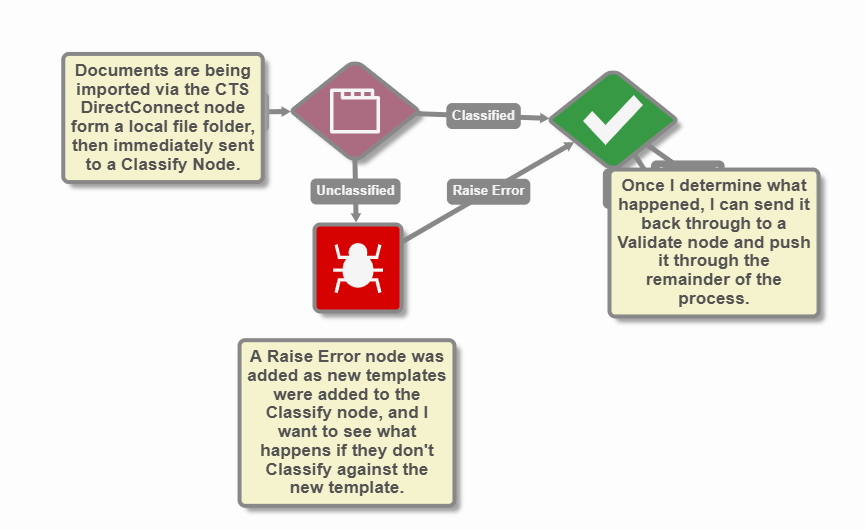
Using the Raise Error Node after Classification testing
In this example, I've configured the Raise Error Node to purposefully send documents into an errored status, as I'm testing out new templates in the Classify node.