SQL External Binding support was added in GlobalSearch 6.1.103.
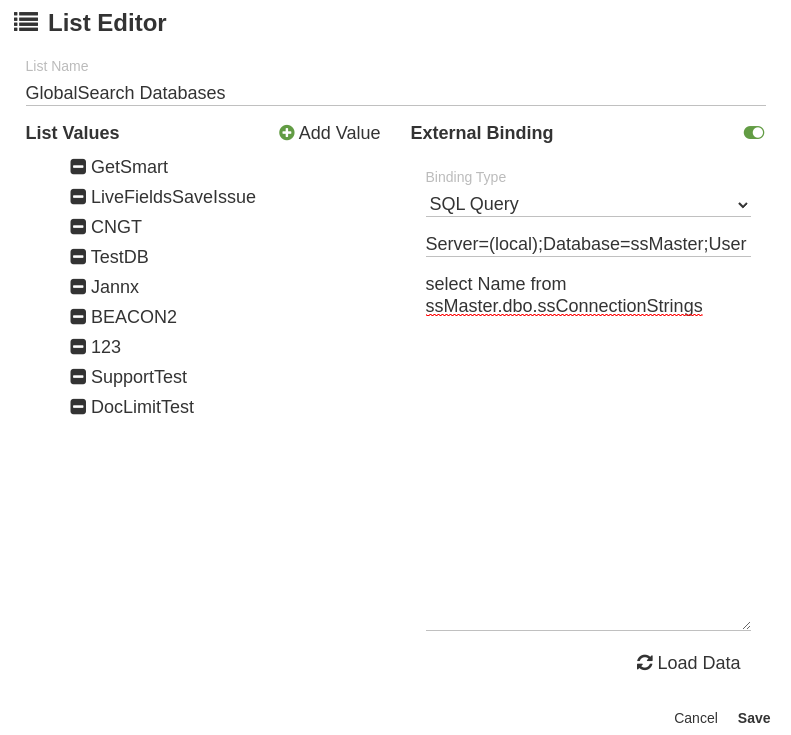
In this example we’ll use the ssMaster.dbo.ssConnectionStrings table to return a list of the GlobalSearch databases connected to your GlobalSearch instance.
You can learn how to check your GlobalSearch version by reading our https://knowledge.square-9.com/s9skb/Determine-Software-Version.979894356.html knowledge base page
-
Navigate to the Field Catalog and then the Lists Subsection
-
Create a new list and turn on the External Binding option
-
Select SQL Query from the drop down
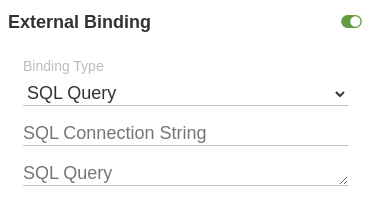
Connection Strings
You can read more about the options available for SQL Server Connection Strings at the link below;
For security reasons you cannot use “Integrated Security” or “Trusted_Connection” in your connection strings. You will need to create a SQL Authentication user and pass in the username and password via the Connection String
A typical SQL Server connection string can be found below;
Server=(local);Database=ssMaster;User Id=globalsearch;Password=globalsearch;
SQL Query
GlobalSearch will use the first column returned from the SQL query to populate the list, it will ignore all other information returned.
select Name from ssMaster.dbo.ssConnectionStrings