
Problem
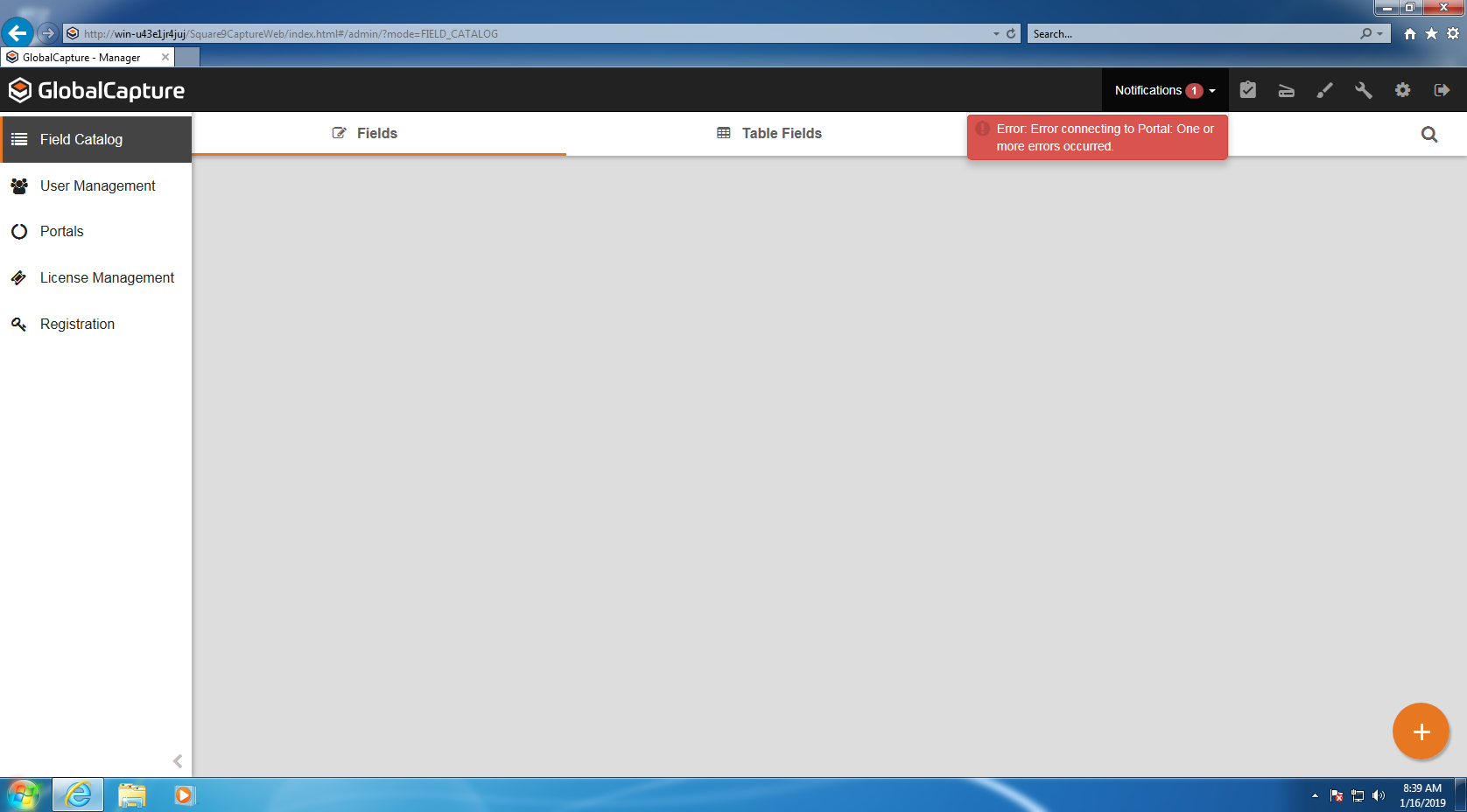
A Windows Update pushed out by Microsoft for Windows 7 and Server 2008 R2 (KB4480970) on January 8, 2019 may cause the Batch Portal in GlobalCapture to fail to authenticate. Logging into GlobalCapture will present the following error Error: Error connecting to Portal: One or more errors occurred.
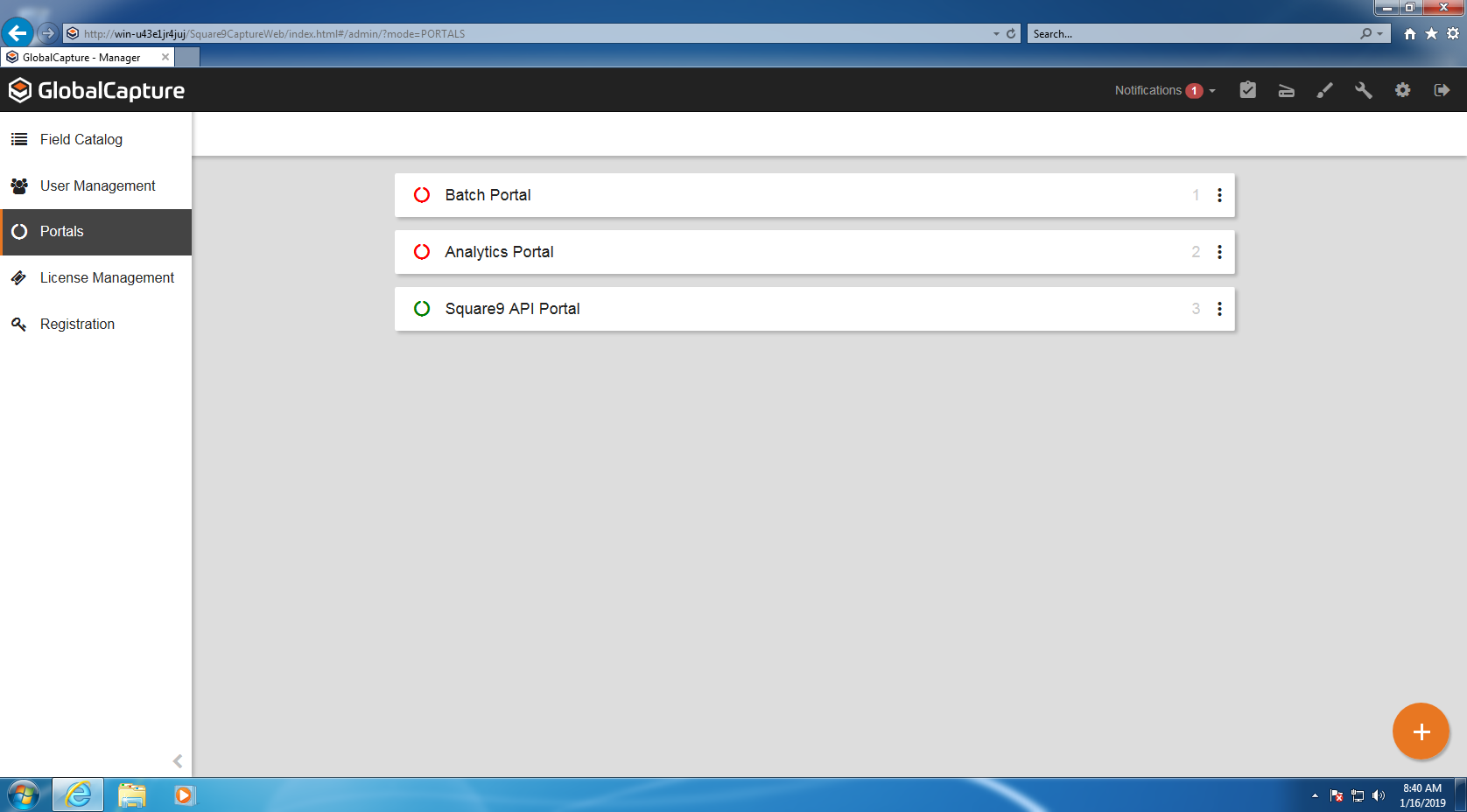
Additionally the Batch Portals will appear Red from the Portals configuration screen.
According to the Microsoft Update article the following is listed as a known issue with the update:
Local users who are part of the local “Administrators“ group may not be able to remotely access shares on Windows Server 2008 R2 and Windows 7 machines after installing the January 8th, 2019 security updates. This does not affect domain accounts in the local "Administrators" group.
Solution
Microsoft has released an update (
KB4487345
) on January 11, 2019 to resolve this issue.
-
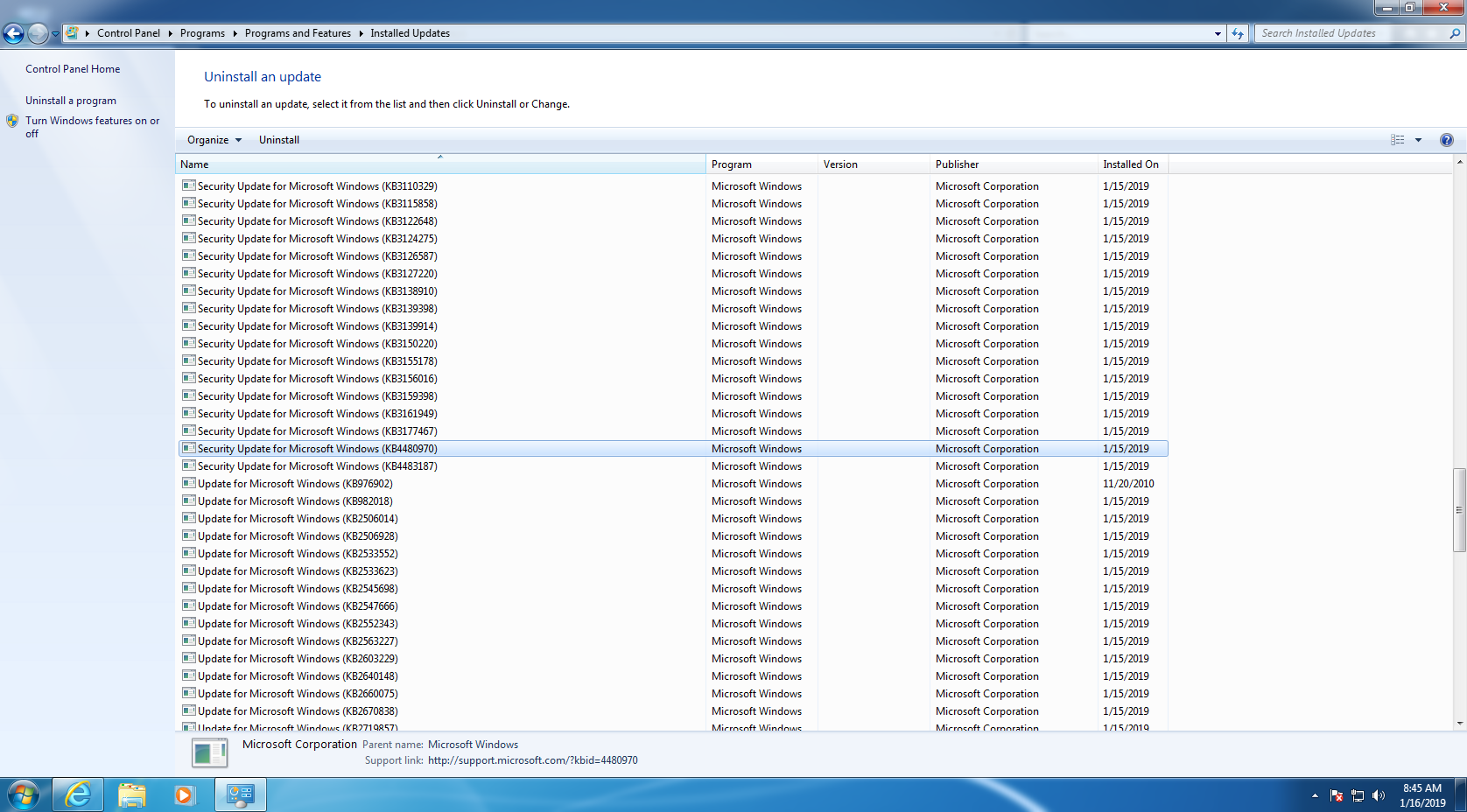
Confirm that KB4480970 is installed on your server
-
Install KB4487345 from the Microsoft Update center (https://www.catalog.update.microsoft.com/Search.aspx?q=KB4487345)
-
Reboot your server
-
Confirm Batch Portals are working properly
Related articles