
Versioning, or Version Control, enables the system to automatically save and track all Document, Data, and Annotation changes.
Versioning is a feature the must be enabled when an Archive is first created. Existing Archives can not be retroactively version controlled.
In a Versioning-enabled Archive, each time edits of any kind are saved to a document, the previous document state is preserved and a new version is created. The latest version of a record displays in the Search Results Grid View, with a Document column to indicate what version number the current document is on. Previous versions can be restricted or can be made accessible, depending on organizational preference.
-
To create a new version of a document in a Versioning-enabled Archive, simply make any edits and save the document. Remember there are many ways to make changes to a document either directly in the Document Viewer or in a file's Native Application (for example Microsoft Word, or Adobe Acrobat) using File XChange.
-
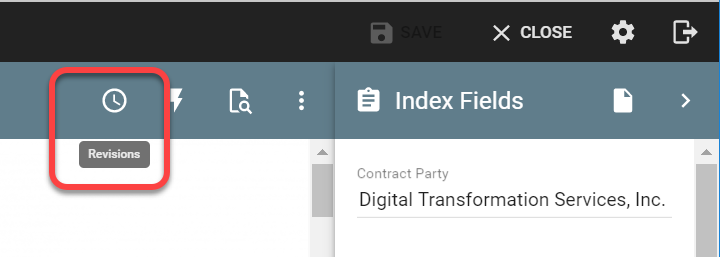
To view previous versions of a document (assuming the proper permissions have been applied), open the document and click on the Revisions menu item.
-
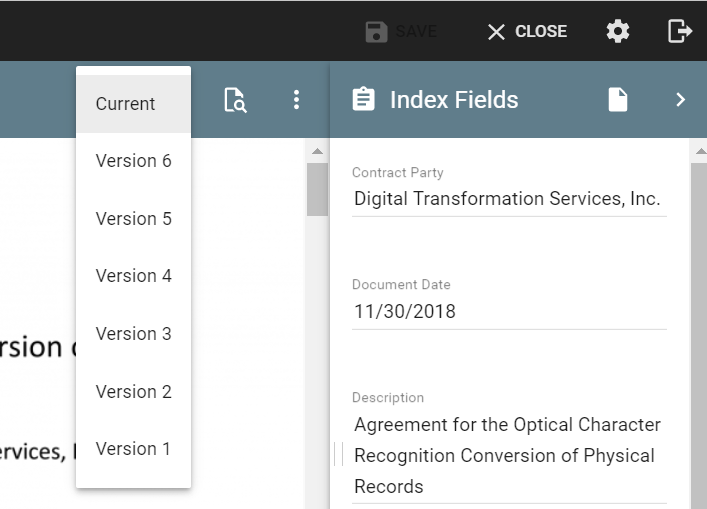
In the list of document versions that appears, choose the version you would like to view.
-
If you have the proper permissions, you may roll back to a specific version of a document by deleting any later versions on file. Alternately, you could access the previous version and perform a replace operation. In this way you would preserve the document history, and still be able to "revert" to a specific version.