
Deleting a Table Field from the Field Catalog removes it permanently from all Archives and will result in a loss of any data in that Field.
-
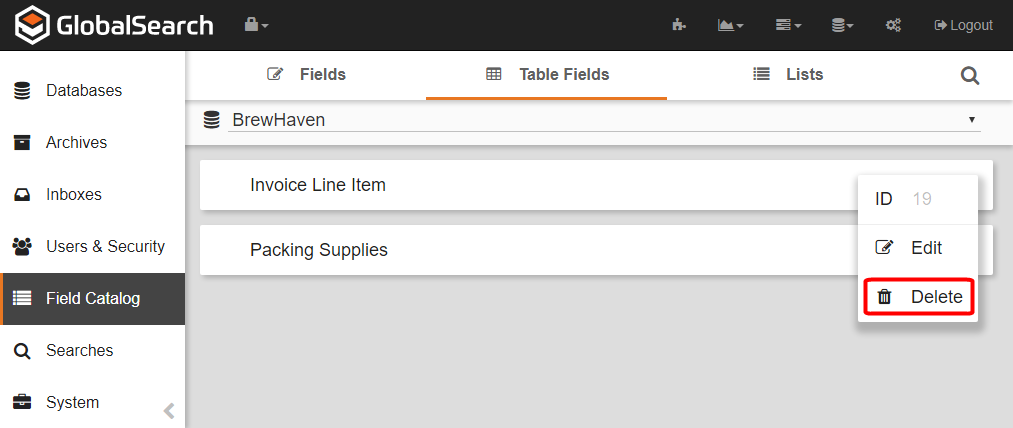
To delete a Field, on the GlobalSearch toolbar, click on the Field Catalog toolbar, click Table Fields.
-
Click the More Options (

-
Click Delete.
-
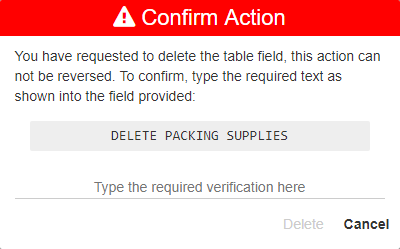
Enter the displayed text in the Confirm Action prompt to proceed. Remember this will result in the loss of all data stored in the field.
-
Click Delete.