
-
To delete an Inbox and its files, on the GlobalSearch toolbar, click on the Administration (

-
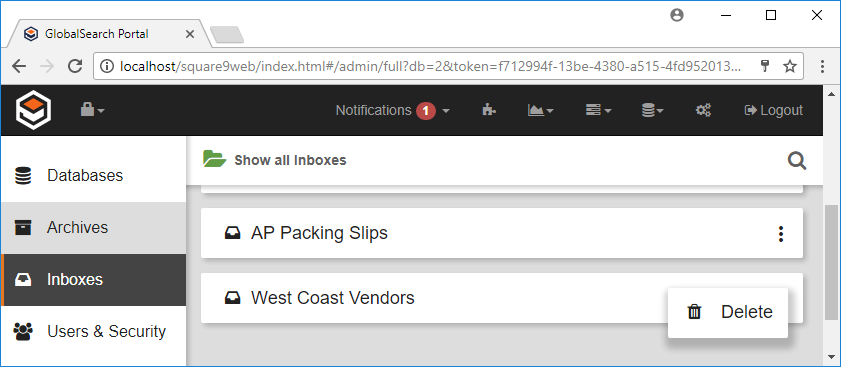
In the vertical Administration menu, select Inboxes.
-
Click the More Options icon for the selected Inbox.
-
Click Delete.
-
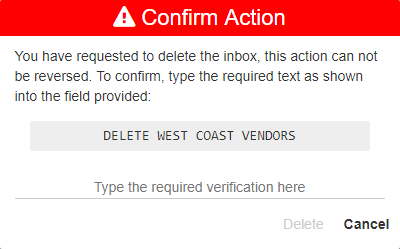
Because this will permanently delete the Inbox, enter the displayed text in the Confirm Action prompt.
-
Click Delete.
CAUTION: In the GlobalSearch web client, if you delete an empty Inbox, it deletes the directory. This is a permanent change. If you delete an Inbox with files in it, it is deleted from the database, but the directory and its files remain. Using the web client, you can reconnect the directory by creating a new Inbox with the same name.