
Prerequisites
-
A publicly accessible Square 9 Identity Manager website with a valid domain name and matching https certificate.
-
Test that the end point works correctly by visiting the endpoint
/scim/v2/ServiceProviderConfig -
Square 9 Identity Manager API key (S9IM).
Setup
-
Login to Azure AD as an Administrator.
-
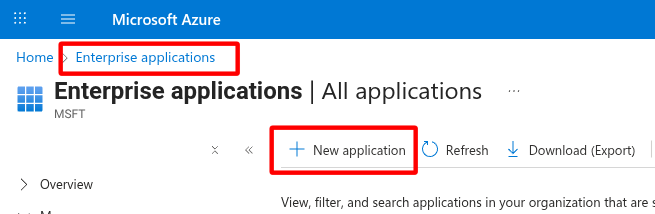
Search for and select Enterprise Applications.
-
Click New application.
-
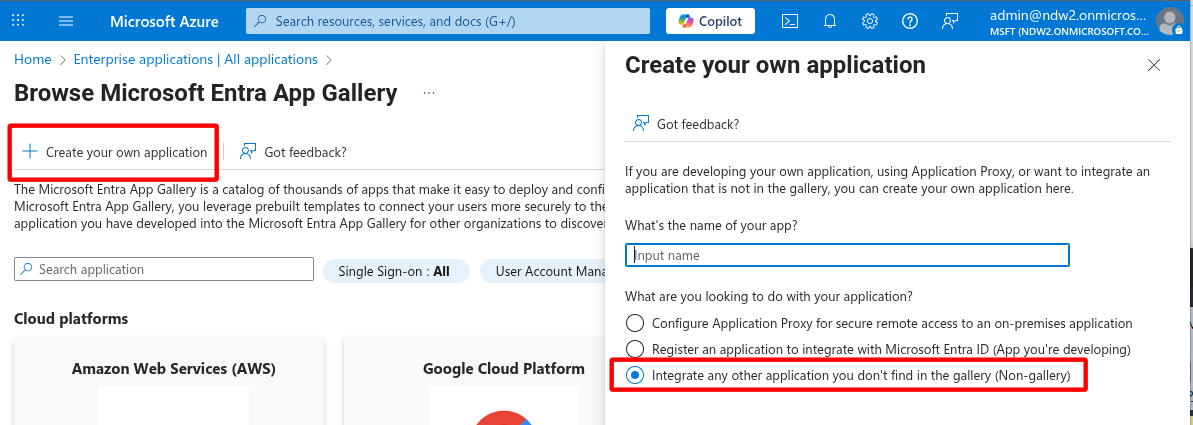
Select Create your own application.
-
Select Integrate any other application you don’t find in the gallery (Non-gallery).
-
-
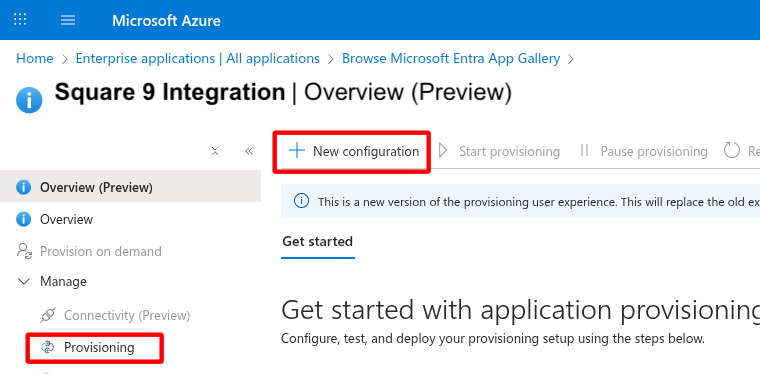
In the Overview → Manage menu, select Provisioning.
-
Choose Automatic.
-
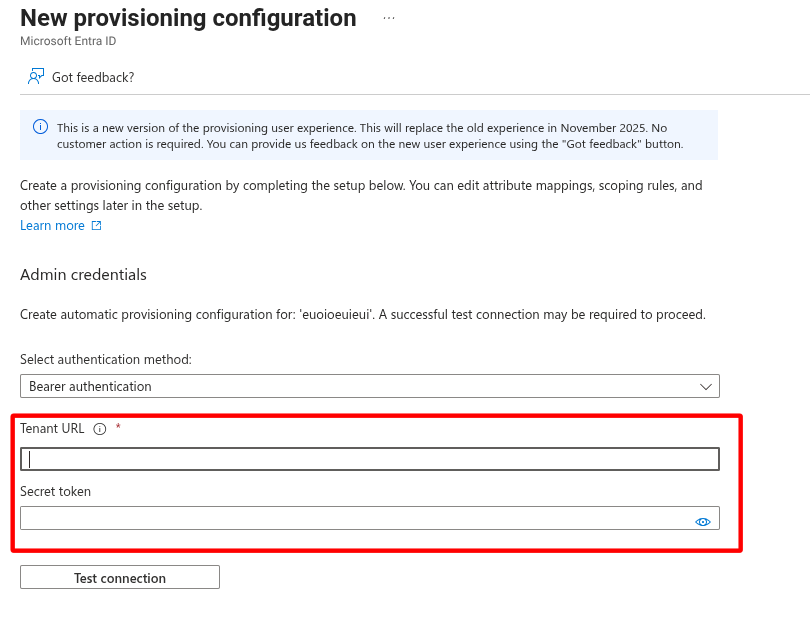
The Tenant URL should be pointing to
https://yourdomain.com/scim/v2
For Square 9 cloud users, the capture- url (https//capture-yourdomain.mysquare9.com/scim/v2) should be leveraged due to how s9im is set up in cloud environments. You should NOT use your GlobalSearch URL.
-
The Secret token is your S9IM API Key.
Provisioning
If you are using SCIM with Entra AD, there is a relay appliction that needs to be configured. Please contact Square 9 Support for assistance.